What Is Cool Text Symbols?
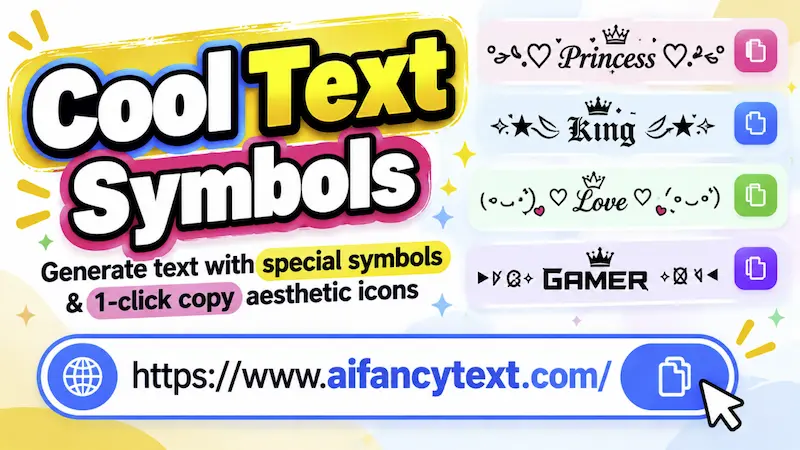
Cool text symbols are a collection of cool text styles, symbols, and fancy text. You will also find many other text tools that you see on this website.
We call it cool text symbols because it includes different kinds of symbols along with fancy text. We added some different features, thinking about what people might need to use.
You'll find every fancy text style that you see on the homepage. But here, you will also see other options that can help you decorate your fancy style or customize it as you like.
There, you can copy and paste 100+ fancy text styles and symbols.
How to Use Cool Text Symbols
It's really easy to use, just like any other tool you will see on this website.
In the input bar, you have to write the text for which you want to generate fancy text. Once you do that, it's going to generate fancy text for you.
But apart from that, you will see other functionality. Below the input box, you will see a few buttons called Upper Case, Lower Case, Title Case, and Reverse.
Upper Case and Lower Case
These buttons change your name, nickname, or any text inside the input into different cases.
For example, if you write “last lord” in lowercase and click on Upper Case, it will become uppercase in the input bar.
Because of that, all the fancy texts that are generated will also be in uppercase.
Title Case
There is also a Title Case option. If you click on it, your text will change into title case, and the fancy text styles will be generated based on that text.
Reverse Text
If you click on Reverse, your text will become reversed.
All the fancy texts that you see will then be generated using the reversed text.
Decorate Your Text With Symbols and Emojis
There is another function called “Decorate Your Text With Symbols and Emoji Frame.”
We added this functionality so that users can customize their fancy text styles.
You just need to write your nickname, username, profile name, or anything else that you want to generate fancy text for.
Once you write it, come to the “Decorate Your Text With Symbols and Emoji Frame” section.
One-Click Aesthetic Frames
Here, you will see an option called One-Click Aesthetic Frames.
There, you will see many names like:
- Wing
- Star
- Heart
- Sparkle
- Bow
- Butterfly
- Bracket
- Royal
- Floral
- And more
When you click on any of them, it will add the selected design around your text.
For example, if you click on Wings, it is going to show wings as a left symbol prefix and a right symbol prefix, with your text in the center.
The text that you wrote before in the input bar will be placed in the center, and you will see your input with that design.
If you scroll down in the fancy text section, you will see all the fancy text styles using the same design with different kinds of text styles.
This makes your text more unique and more like what you want.
Like that, we can generate many different styles, and you can also customize them from here.
Symbols and Emojis
Apart from this functionality, there is another functionality that we added here: Symbols.
Here, you will find One-Click Symbols and Emoji. You can also search for the symbols and emojis that you want to copy.
You can search for them here. Just write the name, and it will be searched for you.
How to Copy and Paste Symbols and Emojis
It is quite easy to do.
Just click on any symbol or emoji. When you click it, you will see a “Copied to Clipboard” notification. This means it has been copied.
Now you can copy and paste it anywhere you want.
How Can I Use Symbols to Customize My Fancy Text?
For example, click on a symbol, such as a heart symbol.
Once you click it, it will be copied, and you can use the username that you have written in the input bar.
Then come to the “Decorate Your Text With Symbols and Emoji” section.
In the Left Symbol Prefix, just paste the symbol that you copied. In the right symbol prefix, you can paste the same symbol or use something different.
When you do that, it is going to create different kinds of fancy text styles that are unique to you.
What Kind of Symbols Will I Find Here?
Here, you'll find many kinds of symbols, like:
- Stars and sparkles
- Hearts and love
- Gaming symbols and badges
- Aesthetic arrows
- Brackets and frames
- Cute symbols
- And more
What Are Star and Sparkle Symbols?
Star and sparkle symbols are a collection of symbols based on stars and sparkles.
You will find many different star and sparkle symbols here that you can copy, paste, and set anywhere you want.
What Are Heart and Love Symbols?
Heart and love symbols are a collection of symbols based on hearts that also represent love.
You will find all kinds of heart symbols, like black and red heart symbols, along with different colors such as blue, pink, yellow, and orange.
You can also find broken hearts, half hearts, and many other kinds of heart symbols here.
These are symbols that you can copy, paste, and set anywhere you want.
Gaming and Badges Symbols
Here, you will also find gaming and badge symbols that you can use to customize your gaming names.
For example, your gaming name is Ninja 123, and you want to add badges to it.
You can just write your nickname, like Ninja 123.
After that, click on the badge that you want to add, or choose a gaming symbol. Just click on it, and it will be copied.
Now come to “Decorate Your Text With Symbols and Emoji.”
In the left symbol prefix, just add the symbol there. In the right symbol prefix, you can also add the same symbol, or you can add something different.
When you do that, a new fancy text style is going to be generated, and you will see those symbols included in your fancy text style.
🎯 Why You Should Use Special Symbols
- Make your text unique and stylish
- Add emotion and meaning
- Create eye-catching usernames and bios
- Improve presentation of your content
- Express creativity easily
🚀 Where Can You Use These Symbols?
- Instagram, Facebook, TikTok bios
- Gaming usernames
- WhatsApp messages and status
- YouTube titles and descriptions
- Discord chats and usernames